Xbox Cloud Gaming Has a New Missing Screen: Your Hours Budget
Cloud gaming can remove a console purchase from the first decision, then replace it with a quieter constraint: monthly streaming time. A useful small opportunity is a plain readiness record that tests the player’s real device and session pattern.

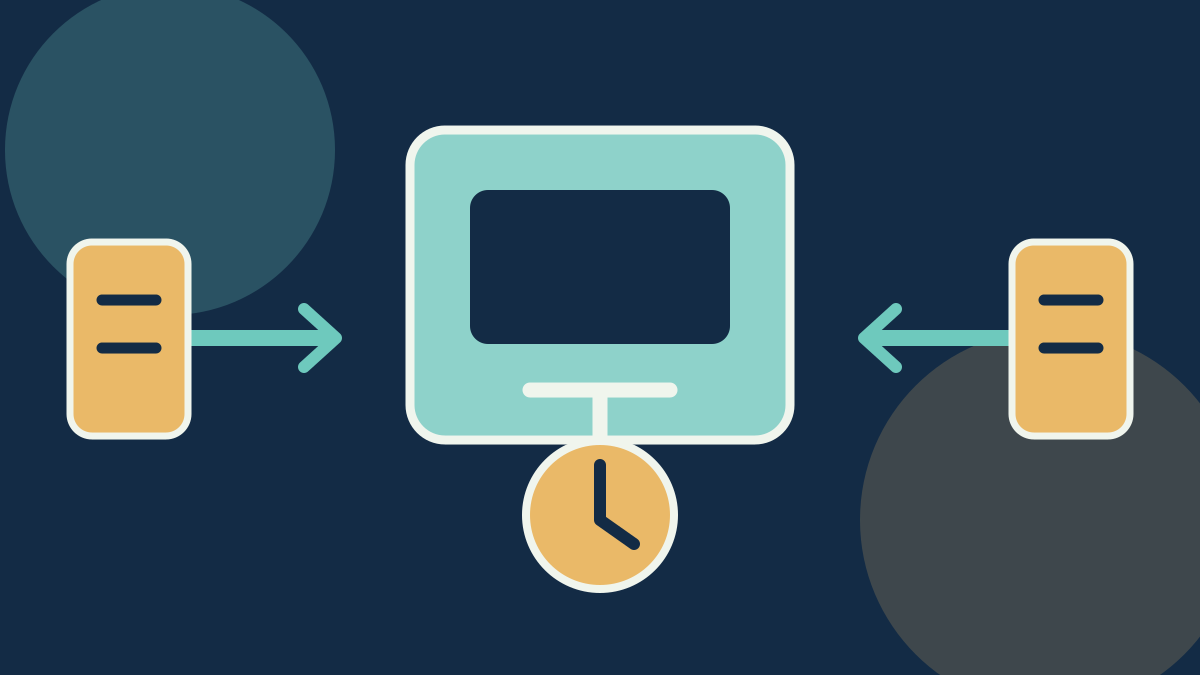
Cloud gaming is attractive because it changes the first purchase. A player can use a phone, television, handheld or modest computer rather than buy a console or powerful graphics card. The decision still has limits. The controller must work, the screen and connection must suit the game, the library must include the title, and the player must have enough streaming time for the way they actually play.
Xbox has made that last condition visible. Its cloud-gaming update describes Game Pass offerings with monthly cloud-gaming hours and a route to buy additional time. The allowance varies by plan. A player who treats cloud play as an occasional supplement has a different fit from someone using it as their principal way to play.
That creates a small, practical publishing and service opportunity. The useful product is an Xbox Cloud Gaming hours readiness card: a dated record of the chosen plan, named game, intended device, controller path, expected session length and fallback when the allowance is spent. It does not promise performance or sell access. It helps a buyer avoid spending on a plan and accessories before checking whether the arrangement fits their actual use.
A monthly allowance changes the buying question
Subscription comparisons often stop at the game catalogue, price and broad device compatibility. Those remain important. A time allowance adds a more personal question: how many of your normal sessions does the plan support?
The arithmetic is simple and should stay visible. Divide the monthly included hours by the player’s expected session length. A 10-hour allowance supports ten one-hour sessions, five two-hour sessions or four sessions of two and a half hours. The result is a planning estimate. It cannot promise that every minute will be playable or that a game will remain available.
The calculation becomes useful when it is attached to a behaviour. A parent may want two short weekend sessions for one child. A commuter may want a few handheld sessions away from a console. A player using cloud access in place of local hardware may expect longer sessions and reach the limit much sooner. The same plan can be sensible for the first two situations and frustrating for the third.
This is the missing screen: a subscription page can state an allowance, but it cannot know whether the buyer plays thirty minutes at a time, shares a device or expects a long cooperative session. A readiness card makes those assumptions explicit before the buyer adds a controller, clip, handheld stand or upgraded plan.
The card has five facts, not a verdict
A useful record fits on one page.
- Plan and allowance: write the exact plan and its included cloud hours, then note whether extra time is available and at what terms the player sees in their own account.
- Session pattern: record expected session length and frequency. Preserve the calculation so another person can see why the allowance appears adequate or tight.
- Named game and library status: check that the specific game is cloud-playable for the account and region at the time of the test. Catalogue rights and availability can change.
- Device and input path: record the phone, television, handheld or computer; browser or app where relevant; controller and connection method. “Works on mobile” is not enough detail to reproduce a result.
- Fallback: decide what happens when a session fails, the allowance is exhausted or the game is unavailable. The fallback may be local play, a different title, waiting for the next allowance period or choosing not to subscribe.
This is a MarketLens method derived from the buyer decision. The card does not certify a device, calculate network quality or guarantee access. It gives the buyer a record they can revise after five ordinary sessions.
Five sessions are more useful than a single successful launch
A launch screen can create false confidence. Test five sessions that match real use: a short session, a normal session, a longer session, a session on the intended second device and a session after a controller reconnect. Record whether the game started, whether the controls felt usable for that person, whether the session ended as expected and how much of the allowance was consumed.
Do not turn a casual test into a technical benchmark. Home networks, devices, regions and game genres differ. The aim is to observe the buyer’s own arrangement. A fast-paced competitive game may expose input sensitivity that is irrelevant to a turn-based title. A shared television may be available at a different time from a phone or handheld.
Keep the session log plain. Record the date, device, controller, game, approximate play length and one short observation. A reader should be able to tell whether a result reflects a connection interruption, a controller problem, a library change or a simple change of mind about the game. That makes a guide more useful than a screenshot of a successful login.
The record can also reveal that no purchase is sensible. If the player cannot name a game, expects more time than the plan allows or dislikes the controller setup, the low-cost answer is to pause. A readiness card earns its value when it prevents an unnecessary accessory purchase as much as when it supports one.
Where the money already flows
Microsoft sells Game Pass subscriptions and, under the new cloud model described in its update, can sell additional cloud-gaming time. That is a large-platform business: Microsoft owns the service, licences, infrastructure, account system and game relationships. A small operator cannot copy those advantages and should not imply that it can improve the network or obtain restricted games.
The accessible layer is buyer education. A creator can publish named-device setup notes, controller compatibility explanations, session-planning worksheets and disclosed affiliate links to accessories that were actually tested. A local gaming café, repair shop or community organiser can offer a short device-and-controller check, provided it does not hold a customer’s account password or make purchases on the customer’s behalf.
The payer is a player or household trying to avoid a poor-fit subscription or accessory bundle. The money flow is modest: affiliate commission on a controller or stand, a small fixed setup session, or paid buyer guides for a tightly defined device category. The strongest offer is evidence-led. It names the game, device and observed use rather than making a broad claim that cloud gaming replaces a console.
Start with a record, not inventory
Interview five players who already use cloud gaming or are considering it because they do not have a suitable console or computer. Ask what a normal session looks like, which device they have, whether they share it and what they would do after the allowance is spent. Look for a repeated decision, such as “will this work on the family television?” or “can this handheld support my commute?”
Create one public readiness record for a named, commonly available controller and device combination. State what was tested, what was not tested and whether any link earns a commission. Then offer one fixed-scope check to a participant using their own account and their own device. The participant performs sign-in and purchase decisions. The operator records the five facts and suggests only accessories that solve an observed problem.
Continue if players can make a clearer plan choice after the record and ask for another named-device guide. Stop if every question requires remote troubleshooting, account access or guarantees about network quality. Those conditions move the work beyond a low-risk buyer-education service.
The smallest sensible test costs time rather than inventory: five conversations, one named device, five ordinary sessions and a public record of the result. Do not buy a stock of controllers or advertise a broad setup service until readers ask for a second record covering the same decision.
The opportunity is clarity under a limit
Xbox Cloud Gaming still offers a route into games without a new console, but a monthly allowance changes the economics of casual and heavy use. The useful small-business layer is not reselling a subscription or promising unlimited play. It is translating a plan page into a player’s own sessions, devices and fallback.
Build a readiness card around five facts and five ordinary sessions. That small test can tell a buyer whether to proceed, choose a different arrangement or spend nothing at all.
Sources
- Xbox Wire cloud-gaming update
- Xbox Insider streaming and device update
- Xbox cloud-gaming library update